XMatrix API-SDK: put motion control inside your program
XMatrix is the software system of XMSP. This page is the development interface, code API-SDK. After you load the development package, functions connect the device, open the official commissioning window, read status, and drive motion blocks.
- Development packageRequest it from technical support
- C interfacecdecl · Unicode
- C/C++ · C# · PythonSeveral languages
- Raw network adapterNo IP to configure
What it does
The development package turns the connect, jog, home, and status read of the commissioning software into functions you call from your own program. The PC finds devices with raw frames on the network adapter. You do not enter an IP. The motion logic stays on the controller.
- Connect, disconnect, and read the version.
- Open the official commissioning window and the parameter window.
- Read status text, position, limits, and I/O.
- Home by block, move by pulse or percentage, and emergency-stop.
How this differs from the XMatrix Command Interface
| Your situation | Which one |
|---|---|
| You only need to send lines of text, across platforms or over a network | XMatrix Command Interface(the published transport is UDP, port 6000) |
| You need the official commissioning or parameter window inside a local program, motion-block objects, and SPC status text | API-SDK (functions in the development package) |
| You need both | They can be combined: the command interface sends text, the SDK calls package functions, and both can use the same device |
The XMatrix Command Interface sends text commands. The API-SDK calls functions inside a program. One device can use both.
First run
- Request the development package from technical support and place the library next to the executable. The process width must match the library (a 64-bit program needs the 64-bit library).
- Install WinPcap on this PC and connect Ethernet to device NET1 (a switch is fine). Do not configure a device IP, and do not ping.
MSP_Connect(), then loopMSP_Get_Connect()until it is not 0. The package searches for devices on the adapter itself.- Commission the motor on site:
MSP_Debug(); change parameters:MSP_Dialog_Config(). - If it has not been homed, call
MSP_Block_T(0)first, thenMSP_Block_A_Percent()to move by percentage. - On exit:
MSP_DisConnect(), thenMSP_Exit().
Shared configuration, commissioning, and parameters
This software function shares the MSP device foundation with the other XMatrix entries. Configure groups, axes, and motion modules, check home, limits, direction, and homing, then set speed, acceleration, travel, and protection. Enter the software mode on this page only after that foundation is done.
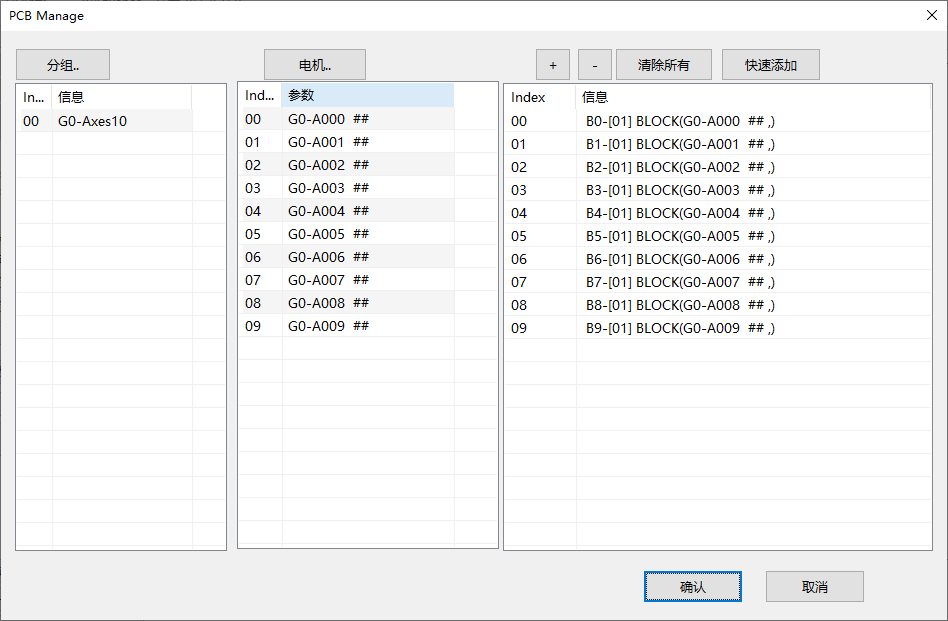
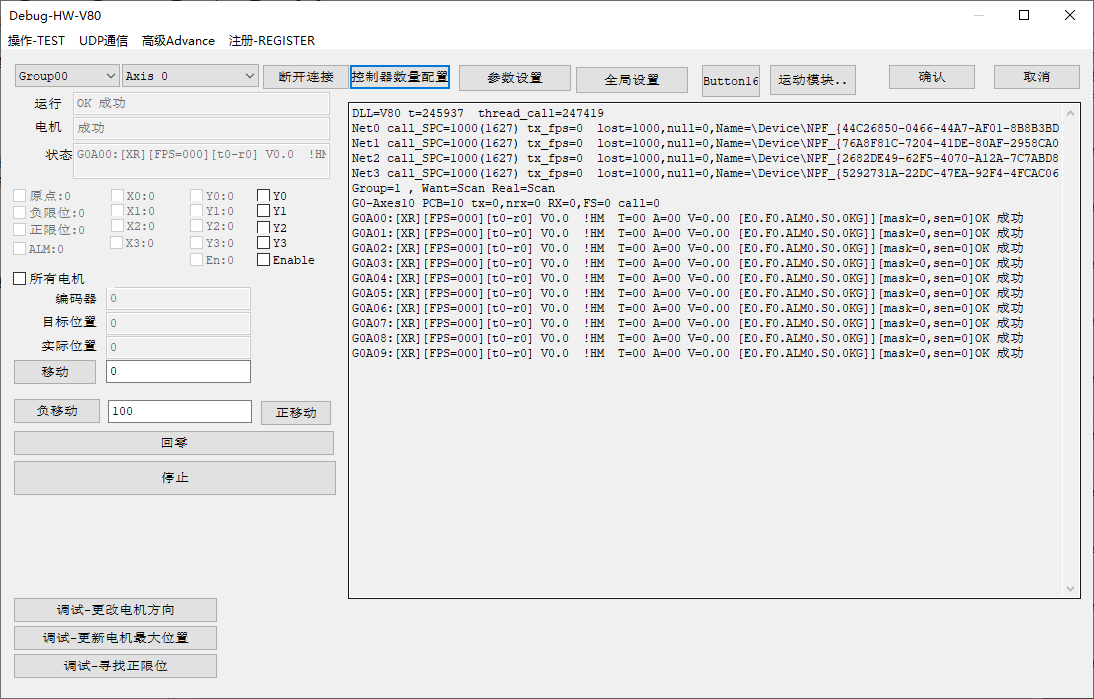
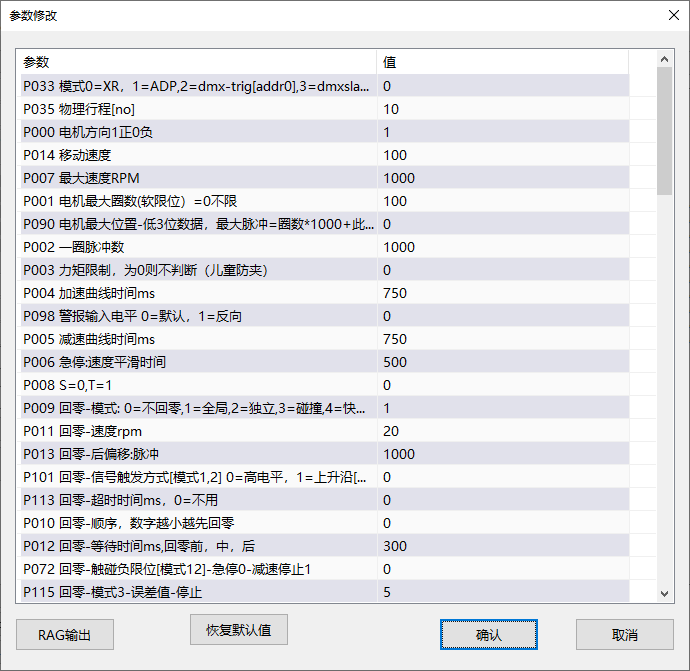
Published function groups
Full signatures follow the header in the development package. Only the groups and the common names are listed here. Request the SDK and the full API from technical support.
| Group | Common functions |
|---|---|
| Connection | MSP_Connect / MSP_Get_Connect / MSP_DisConnect / MSP_Exit |
| Official windows | MSP_Debug / MSP_Dialog_Config |
| Status text | MSP_Get_SPC |
| Board and I/O | MSP_PCB_GetCount / MSP_PCB_GetDI / MSP_PCB_SetDO / MSP_PCBS_Get_Runtime_State |
| Read position and limits | MSP_Direct_Axis_Get_Actual_Pos / MSP_Block_Get_Axis_Actual_Pos_Percent |
| Motion blocks | MSP_Blocks_T / MSP_Block_T / MSP_Block_Z / MSP_Block_A / MSP_Block_A_Percent |
| UDP / DMX (optional) | MSP_UDP_Client_Register_Call / MSP_DM_Get_Channel_Data, and others |
Examples in several languages
- C / C++:
extern "C"header plus the import library, or load the entry dynamically as the current desktop build does. Calling convention cdecl. Strings are Unicode (wchar). - C#:
DllImportdeclaresCallingConvention.Cdecl, and strings are markedCharSet.Unicode. Put windows on the UI thread of a local program that has an interface. - Python:
ctypes.CDLL(do not useWinDLL), and declarerestypeasc_wchar_p.
# Python 3 · minimum example (ctypes; 64-bit Python with the 64-bit library; the file name follows the package you receive)
import ctypes, time
dll = ctypes.CDLL(r"sdk.dll")          # the file name follows the package you receive
dll.MSP_Get_Connect.restype = ctypes.c_int
dll.MSP_Get_SPC.restype = ctypes.c_wchar_p

dll.MSP_Connect()
for _ in range(50):
    if dll.MSP_Get_Connect():
        break
    time.sleep(0.1)

print(dll.MSP_Get_SPC(0, 1))           # percentage status text
dll.MSP_DisConnect()
dll.MSP_Exit()
Matching hardware
The SDK calls the same underlying functions, so “which function” and “what is wired on site” line up one to one.
| Function group | Underlying function | Wire this on site |
|---|---|---|
| Homing / home sensor | Find the mechanical home | Slotted optical sensor ×1 → HM |
| Limits and protection | Hard limits + software limits | Slotted optical sensors ×2 → LIM+, LIM− (software limits are parameters only) |
| Motion and position | Point, speed, travel | — (scaling uses gear ratio / lead) |
| I/O control | Digital inputs and outputs | Brake through a 24 V relay to DO |
| Multi-axis management | Station address and daisy chain | Ethernet daisy chain |
The item-by-item map is in XMatrix Features × MSP Hardware. Accessory categories and models are in Accessories and matching parts.
Common questions
| Symptom | Look here first |
|---|---|
| The library fails to load, or DllImport fails | Is the library in the same folder? Do the process and the library match, 32-bit or 64-bit? Are the dependent libraries present? |
| C# corrupts the heap on the first call | Was it declared StdCall by mistake? Were strings left unmarked as Unicode? |
| Python arguments are scrambled | Did you use WinDLL? Is restype declared as c_wchar_p? |
| Connect stays 0 | Is the network driver installed for the current desktop build? Is Ethernet connected to the device? Is the local adapter already in use? The package does not use IP. Changing the PC IP, or a failed ping, is not the cause. |
| Debug or Dialog_Config shows no window, or it closes at once | Is the call on the UI thread? A console program has no message loop. |
| A web page or a cloud model cannot connect | The package must run in a local host. A web page goes through Electron or a local service. Do not connect to the adapter from the cloud. |