XMatrix OEM: when a standard interface cannot cover the machine, judge it from the move
If XMatrix Online, Offline, the Command Interface, DMX512, or the API-SDK cannot produce the machine move directly, send the project conditions. We first judge whether a standard function can do it. If a change is really required, the scope, the verification method, and what is delivered are stated before work starts.
- Move logicJudged from the machine sequence
- Interface and protocolConnect to a system you already have
- Operator screenKeep the functions that are needed
- OEMA project version is delivered
When a custom version should be reviewed
- The existing commands, channels, or API cannot express the move and the trigger relationship the machine needs.
- The machine must connect to an existing host, show control, a lighting system, or a private protocol.
- Operators only need the functions of this project, and the general commissioning screen is not the right final operator screen.
- A batch of machines needs a fixed software version, OEM identity, or a field update method.
Judge the standard function first. A project that can be done with an existing mode is given a standard plan first. The word “custom” is not used to add development and maintenance that the project does not need.
What can be changed
| Scope | Typical content | How it is confirmed at delivery |
|---|---|---|
| Move logic | Sequenced moves, synchronization, special triggers, and the machine flow | Check each item on the agreed move list |
| Communication interface | A dedicated command, a channel map, an API, or a private protocol | An interface description and a communication test are provided |
| Operator screen | Keep the operations, status, and parameter entries the project needs | Accept against the screen list and the operating procedure |
| Project version | OEM identity, a fixed version, and the update plan for a batch of machines | Record the version number and which devices it applies to |
Shared configuration, commissioning, and parameters
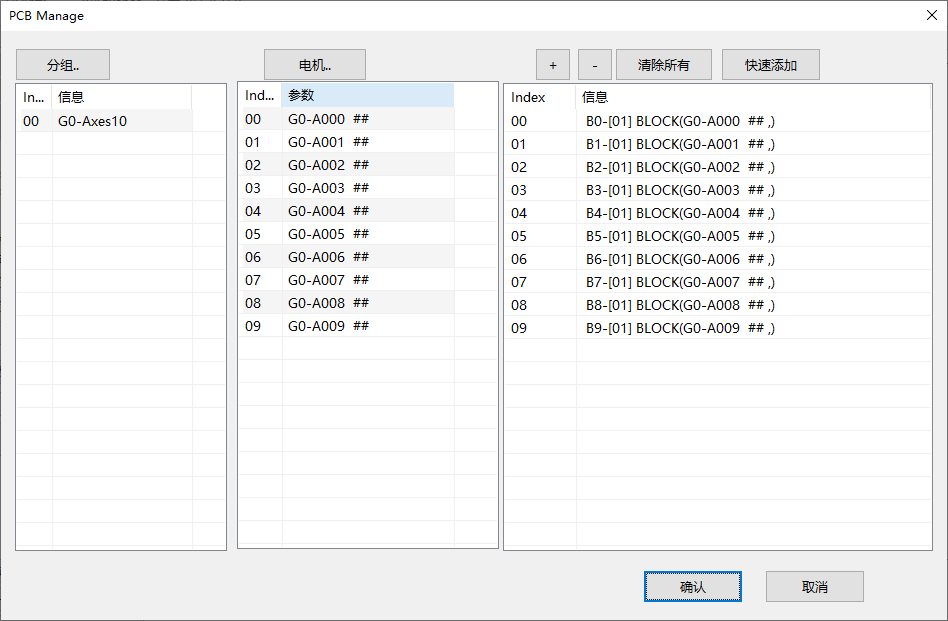
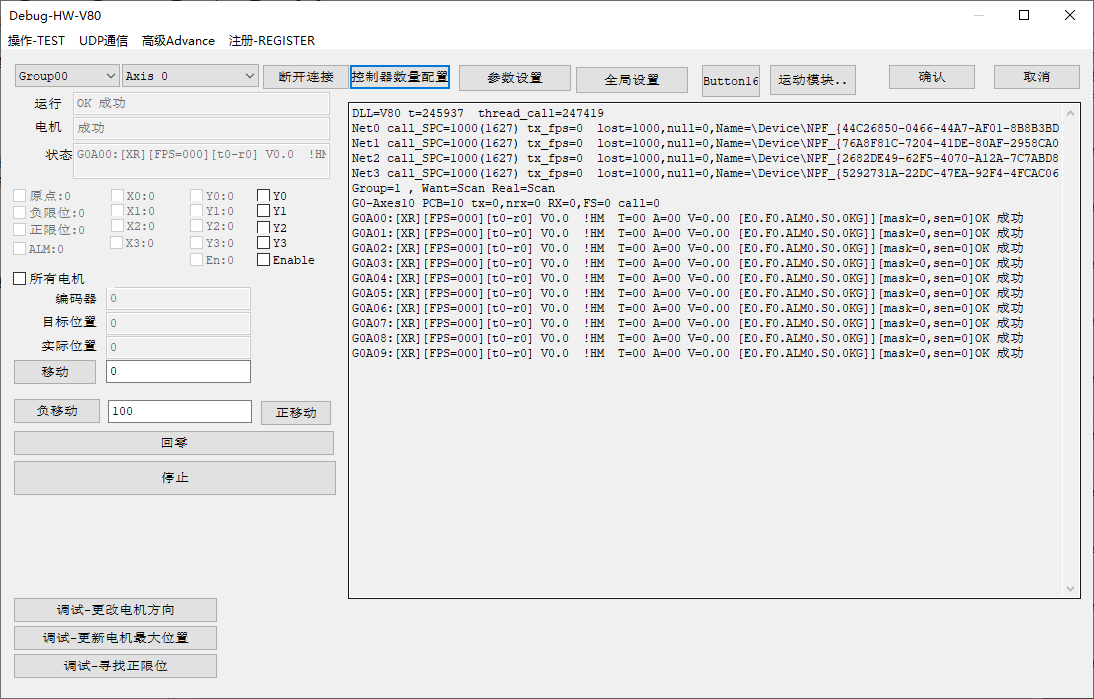
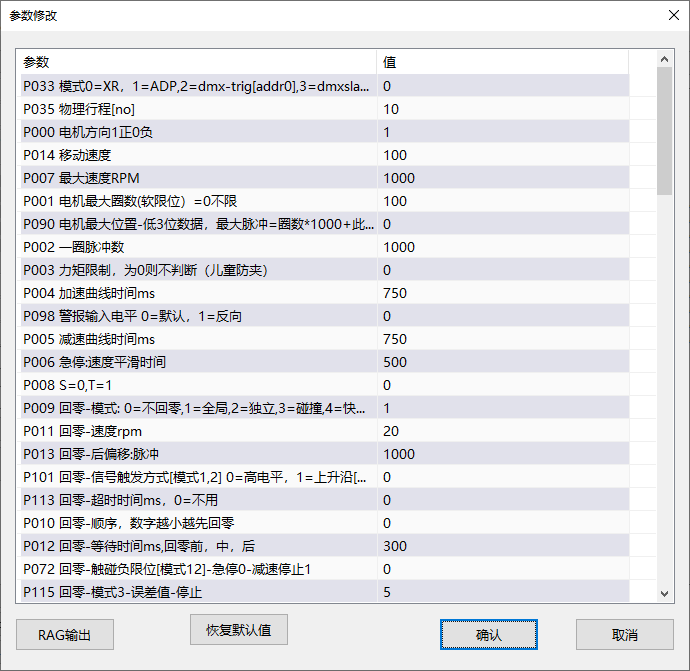
This software function shares the MSP device foundation with the other XMatrix entries. Configure groups, axes, and motion modules, check home, limits, direction, and homing, then set speed, acceleration, travel, and protection. Enter the software mode on this page only after that foundation is done.
When a custom version is usually not required
- The PC stays in the loop, the logic is involved, and the site keeps adjusting: start with XMatrix Online.
- The move is fixed and the device runs it after the transfer: start with XMatrix Offline.
- An existing program only needs to send motion commands: start with XMatrix Command Interface or XMatrix API-SDK.
- A lighting console needs to command the motor directly: start with XMatrix DMX512 Interface.
What to send before the review
- What the machine does: axis count, motors, travel, speed, cycle time, and move order.
- What starts the move: a PC program, show control, a console, a button, a sensor, or power-up.
- Where the current interface stops. A current protocol, a flow diagram, or an operating video helps.
- The prototype count, the expected production quantity, and when you want the prototype check finished.
What the review will state
- Whether a standard function can do the job, and whether a custom version is actually required.
- Which MSP hardware, motor, and XMatrix software entry apply.
- Which function, interface, or screen would change, and what is outside the scope.
- How the prototype is verified, what is delivered, the schedule, and the cost.
Start the review: Use Contact and send the project notes above. If an unpublished process or protocol is involved, confidentiality, maintenance, and the project-version boundary can be confirmed before the review goes further.